Jewelry Photography Ideas
Whether you sell rings, earrings, necklaces, or bracelets, we are here to help. You put effort into creating your jewelry. Now let's create beautiful product images for them.
Generate jewelry product images with Drape

Keep it simple
Use a simple whiteish background to emphasize the gold and silver tones of your jewelry.

Create a focal point
Use a dark background to draw attention to the shiny jewelry and create drama.

Show it being worn
Let customers see how earrings look on a real person. This helps them visualize the size.
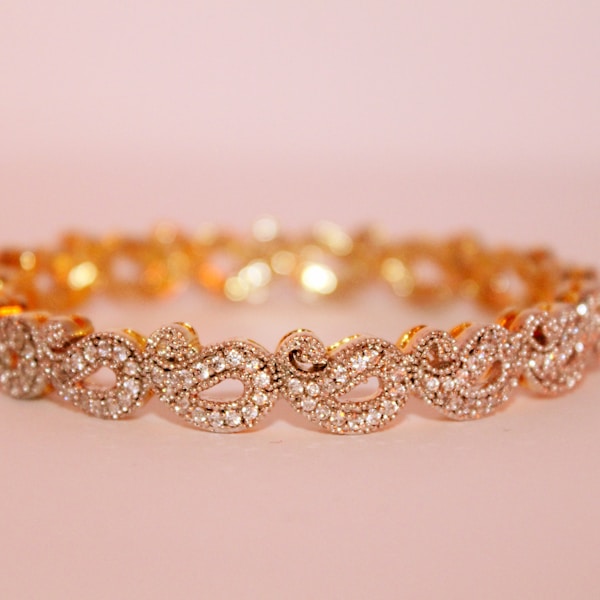
Leverage light
Use light to make diamonds glitter and sparkle. Shadow adds depth and luxury.

Play with reflections
Experiment with reflective surfaces to create visual interest and elegance.

Layer your pieces
Show how multiple pieces can be styled together for a complete look.
Generate jewelry product images with Drape
How to create unlimited jewelry
product images with AI
Upload your jewelry photo
Take a simple photo of your jewelry piece. A white background or product shot works perfectly. Drape will automatically remove the background.
Choose your model
Select from our diverse library of AI models sorted by age, ethnicity, and body type. Or upload your own brand model photos.
Generate realistic try-on images
Drape uses AI to place your jewelry on models with natural shadows, lighting, and anatomically correct positioning.
Download and use anywhere
Get high-resolution 4K images ready for your website, social media, marketplaces, and ads. You own all the rights.
Upload your jewelry and watch the magic happen
Generate jewelry product images with Drape
FAQs about jewelry photography
Explore more photography ideas
Ready to Create Stunning Jewelry Photos?
Start with 3 free images. No credit card required.

Stay in the loop
Be the first to get updates on new features, special offers, and AI photography tips.
By signing up, you agree to receive marketing emails. Privacy Policy.